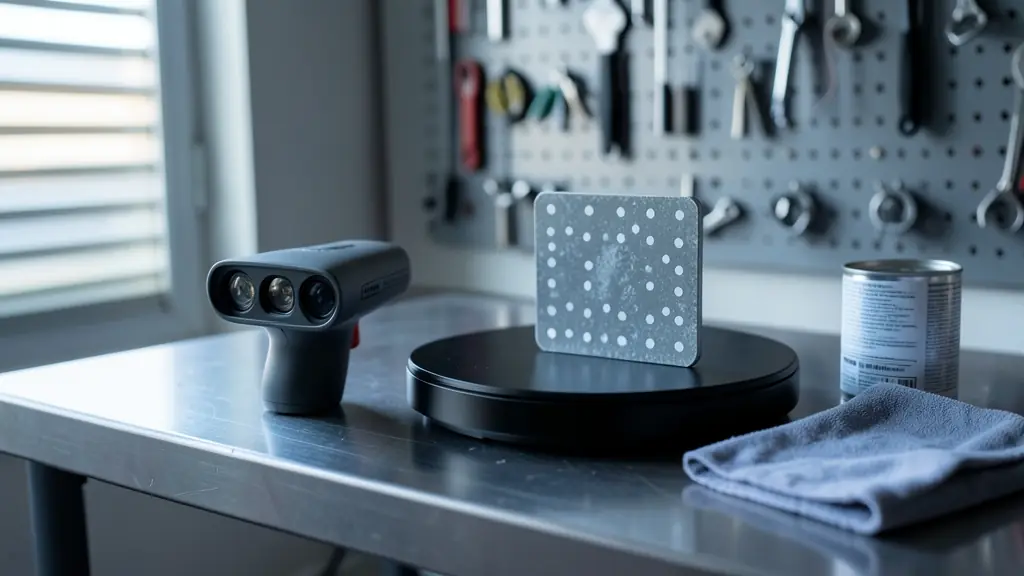
A scanner does not hand you a part. It hands you a cloud of measured points stitched into a mesh, often with holes where the light could not reach and fuzz where the surface was shiny. That mesh is a start, and the work between it and a printable file is where most first time buyers get stuck. Before paying for 3D scanners, know the smallest and largest thing you will scan, how accurate it must be, and who will clean the result.
Structured light against laser line
Structured light scanners project a pattern of light and read how it bends over the object. They are quick, handle faces and bodies well, and suit objects from a shoe to a car seat. Fine edges and small holes can soften.
Laser line scanners sweep thin laser lines and usually need markers stuck to the part. They hold sharper edges and cope better with dark and shiny surfaces, which makes them the pick for engineering parts and inspection, at a higher price. Some handheld units carry both modes.
Problems you will meet, and the usual cause
- Holes in the mesh: deep pockets or undercuts the light never saw. Scan from more angles or flip the part.
- Noisy, lumpy surface: chrome, black rubber or clear plastic. A thin coat of scanning spray, which fades or wipes off, fixes most of it.
- The scan loses track: a smooth, featureless part. Add dot markers or a textured mat underneath.
- Tiny parts look blobby: the object is below the scanner's minimum size. Check the spec for the smallest object and the point spacing.
Accuracy, size and the computer behind it
Read the accuracy figure with care: a maker may quote the best case on a small object, while accuracy over a long part drifts. Ask for the volumetric accuracy and try it on a part like yours. A scanner for a person or a car panel needs a wide field of view; one for a small bracket needs fine resolution.
Most scanners lean on the computer: a recent processor, plenty of memory and a good graphics card. A thin office laptop may stall on a big scan, so price the PC in.
From scan to something you can print
- Trim the table, the turntable and stray points.
- Fill holes and smooth the noise in the scanner's software.
- Export an STL and check it is watertight.
- For a part that must fit, have a designer draw a CAD solid over the scan. See 3D modelling and design.
- Check the size fits your bed with the will it fit calculator.
What to put in your request
- The smallest and largest objects you will scan
- The accuracy you need, in mm, if you know it
- Shiny, dark or clear surfaces you deal with
- The computer you have, or ask for one in the price
- Whether you need training and the editing software
3D Scanners for makers, schools, engineers and businesses
- Makers and hobbyists: scanning a figurine, a pet's ornament or a helmet buck to print and paint at home
- Schools, colleges and makerspaces: a design and technology class scanning objects to learn how meshes and CAD differ
- Engineers and product designers: capturing an awkward casting so a fitting part can be modelled against it
- Small businesses and sellers: scanning products for an online shop's 3D views or custom fit accessories
- Factories, mines and workshops: copying a worn pump impeller or a guard so a spare can be drawn and made
- Dental labs and clinics: scanning limbs or moulds as reference data for an orthotic workshop to work from
- Car owners and panel shops: scanning a door card or dash panel to design a clip or a gauge pod that fits
- Architects, artists and prop makers: recording a sculpture or a heritage carving for a scale copy or an archive