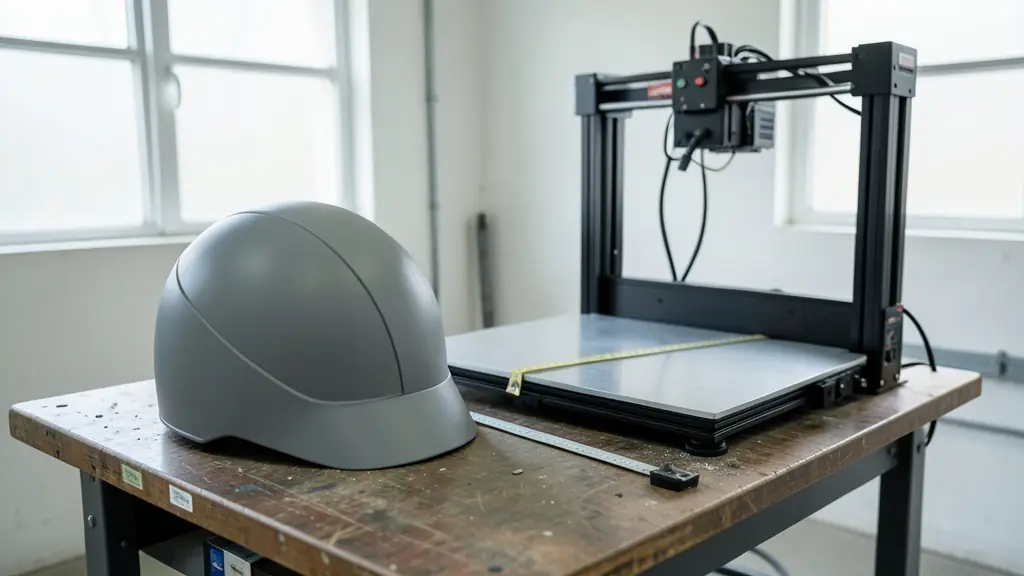
A printer's build volume looks generous until the part is a cosplay helmet or a 400 mm sign letter. This checker takes the part's three sizes and tries them against seven printer classes, from a 180 mm compact to a 600 mm bureau machine and two resin sizes. It turns the part on its side and lays it across the diagonal of the bed, and where it still does not fit, it counts how many pieces to split it into. Bigger machines are on large format 3D printers.
How the check works
Each class uses the smallest machine of that class on the makers' spec pages, so a part that fits here fits most printers sold in that class. The tool tries all six ways of turning the part. If it is too long for the bed, it checks the diagonal: a 220 mm square bed has about 310 mm corner to corner, enough for a long thin part.
When nothing fits, it divides the longest side by the bed's longest side and rounds up, which gives the fewest pieces. Resin classes are checked the same way, but a resin part is printed hanging from the plate, so its height counts against the printer's z travel, and a big resin print uses a lot of resin. The resin calculator shows how much.
Leave room at the edges
- Skirts, brims and purge lines need a few millimetres around the part.
- Some printers lose a little at the edge where the bed is cooler or less flat.
- Tall parts wobble: a part near full height on a bed slinger is a risk.
- Resin printers lose height to the supports and the raft under the part.
Splitting a part well
Cut along flat faces or hidden lines, add pins or a tongue and groove so the pieces line up, and print each piece in the orientation that suits its strength. Glue, then fill and sand the seam. A designer can split a model with joints; see 3D modelling and design. For a whole run of big parts, a bureau with an extra large machine may save the joints altogether.
Sources
- Printer maker B, small open frame printer spec: build volume 180 x 180 x 180 mm; maximum power 150 W
- Printer maker C, small printer product page: build volume 180 x 180 x 180 mm
- Printer maker B, enclosed core XY printer spec: build volume 256 x 256 x 256 mm (the maker's open frame model is the same size)
- Printer maker C, bed slinger product page: build volume 250 x 210 x 220 mm; 240 W power supply; power use PLA 80 W, ABS 120 W
- Printer maker J, entry open frame printer support page: build volume 220 x 220 x 250 mm; rated power 350 W
- Printer maker J, 300 mm core XY printer support page: build volume 300 x 300 x 300 mm; rated power 1,000 W
- Printer maker J, 300 mm open frame printer product page: build volume 300 x 300 x 320 mm
- Printer maker C, enclosed core XY printer product page: 250 x 220 x 270 mm (large version 300 x 300 x 330 mm); 240 W power supply; power use PLA 90 W, ABS 110 W
- Printer maker J, 350 mm core XY printer support page: build volume 350 x 350 x 350 mm; rated power 1,200 W
- Printer maker C, 360 mm tool changer printer spec: 360 x 360 x 360 mm; average draw 235 W while printing, 550 W while heating up, 80 W on standby
- Printer maker J, 400 mm core XY printer support page: build volume 400 x 400 x 400 mm; rated power 1,250 W
- Large format printer maker, 600 mm printer page: print volume 600 x 600 x 660 mm
- Large format printer maker, 1,200 mm printer page: print volume 1,200 x 600 x 640 mm
- Resin printer maker G, entry MSLA printer FAQ: printing size 143 x 89 x 165 mm
- Printer maker C, MSLA printer product page: print volume 127 x 80 x 150 mm; about 100 W (±5 W) while printing
- Resin printer maker I, large MSLA printer product page: printing volume 223 x 126 x 235 mm; system power maximum 240 W
- Resin printer maker G, mid MSLA printer FAQ: printing size 195 x 122 x 200 mm
- Printer maker J, fast core XY printer spec sheet: 220 x 220 x 250 mm; rated 350 W; hot end claimed to 32 mm³/s maximum flow
Frequently asked questions
Can a part fit diagonally on the bed?
Why does the tool use the smallest printer of each class?
Is it better to buy a bigger printer or split the part?
Can someone print a part too big for my printer?
More calculators and tools
- 3D print cost calculatorFilament, electricity, machine wear and failures: the cost of one print
- Filament length calculatorGrams to metres and back, and how many parts one spool prints
- Print time estimatorPart size, solidity and printer: material volume, grams and hours
- Resin calculatorMillilitres, grams, bottles and cost for resin prints
- Print settings guideNozzle, bed, drying and enclosure for each filament
- Backup power calculatorBattery and inverter size to finish a print through load shedding
- Nozzle flow calculatorVolumetric flow from nozzle, layer, width and speed, against hot ends