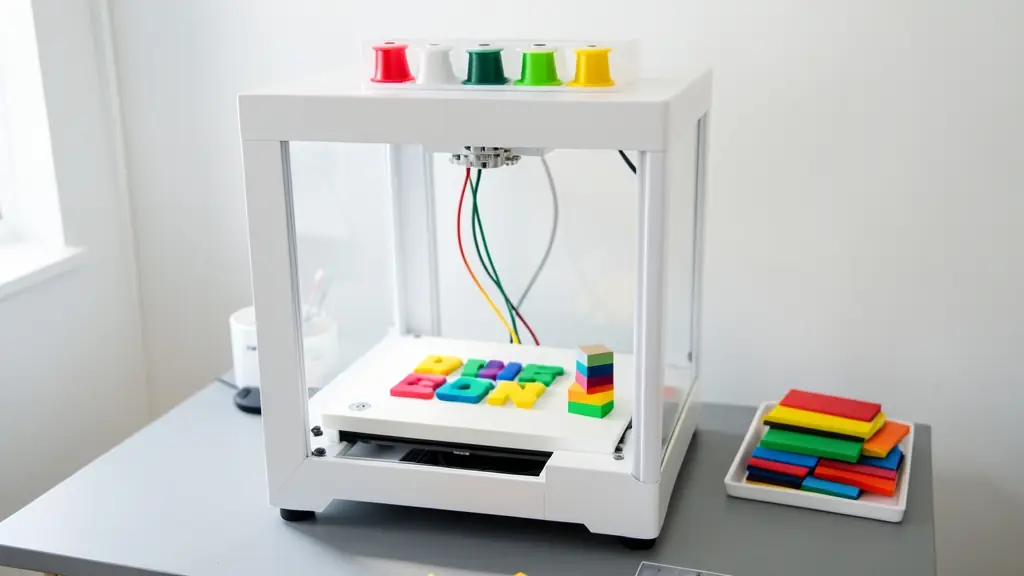
Printing a name sign in three colours on a single nozzle machine used to mean standing by the printer, pausing at the right layer and swapping spools by hand. Today a filament changer does it automatically, and a tool changer does it with less waste. Both make striking gifts, signs and teaching models. Both also cost something that does not show in the advert: purged plastic, a slower print and a slicer that needs a bit of planning. Here is how each method works and when colour is worth it.
Three ways to put colours in one print
- A filament changer with one nozzle. A box feeds up to four spools, often more when units are chained, into a single hot end. At each change the old colour is pushed out as purge.
- A tool changer or two nozzles. Each colour has its own hot end, so very little is purged. It costs more and the heads must be aligned.
- A pause at a layer. Any printer can do it: the slicer stops at a set height, you swap the spool and resume. It suits two colour signs where the colour changes only once.
Where the extra plastic goes
On a single nozzle changer, each swap flushes a few hundred millimetres of filament into a purge chute and often builds a "prime tower" beside the part to settle the new colour. A small keyring with many changes can waste more grams than the keyring itself weighs. Grouping colours by layer and choosing fewer swaps cuts that down.
Prints also run longer, as each swap takes time. Put the part weight plus the purge into the print cost calculator to see the real cost, and keep the offcuts sorted by type in case you try filament recycling.
Worth it, or not
- If you sell signs, gifts or name tags, colour sells the item; the waste is part of the price.
- If you teach, a model of the heart or a map with coloured regions explains itself.
- If the part is functional, a bracket or a jig, one colour is fine and colour adds nothing but time.
- If you only change colour once, a layer pause on any printer does the job.
Personal pieces are covered on custom 3D printed gifts.
Before you buy a changer
Check which spools it accepts: some reject cardboard sided spools or need adapters. Ask whether it can switch materials as well as colours, such as a support material that breaks away cleanly, and whether the slicer for that printer handles colour painting well.
A changer adds to the purchase price; 3D printer prices shows how much, and 3D printers for sale covers the base machine.
What to put in your request
- What you print and how many colours a part has
- Changer, tool changer or either
- Whether you need a support material too
- How many parts a week you print
- Your budget and delivery town
Multicolour 3D Printers for makers, schools, engineers and businesses
- Makers and hobbyists: painted look figurines, coloured keyrings and board pieces straight off the bed
- Schools, colleges and makerspaces: coloured teaching models of cells, organs and maps that explain themselves
- Engineers and product designers: colour coded prototypes and parts with a soluble or breakaway support
- Small businesses and sellers: name signs, shop displays and personalised gifts that sell on colour
- Factories, mines and workshops: colour coded jigs and labels moulded into parts for the workshop floor
- Dental labs and clinics: coloured anatomy models for teaching and patient talks, not for treatment
- Car owners and panel shops: dashboard inserts and switch caps with contrasting symbols for restorations
- Architects, artists and prop makers: coloured architectural massing, art pieces and props with fewer paint steps